Tuesday, 19 May 2015

Apache Kafka installation with Zookeeper

For Video Reference 


Step 1: Download  Zookeeper , Kafka and JDK 1.7


Step 2: Untar the zookeeper 

Step 3: Start the Zookeeper (find the command from the below picture and give jsp to check the daemon)

Step 4: Download Install kafka


Step 5: Start the kafka 
bin/kafka-server-start.sh config/server.properties

You can see the log like this 


Step 6: Now give jps to check both the Zookeeper and kafka daemon is up and running.


Step 7: Create a new Topic "demo" and list all the topics.


Step 8: Start the console producer to produce (send) some message 


Step 9:  Start the console consumer to consume (receive) some message


Thursday, 9 April 2015

Apache Storm single node installation

Video Reference 


Step 1:  Download Zookeeper

wget http://www.eu.apache.org/dist/zookeeper/zookeeper-3.4.6/zookeeper-3.4.6.tar.gz

Step 2:
 tar -zxcf zookeeper-3.4.6.tar.gz
 cd zookeeper-3.4.6
 cd conf

 Step 3:
 cp zookeeper_sample.cfg zoo.cfg
 vi zoo.cfg
 tickTime=2000
 dataDir=/home/hadoop/zookeeper
 clientPort=2181


Step 4: Download Storm

wget http://apache.mesi.com.ar/storm/apache-storm-0.9.3/apache-storm-0.9.3.tar.gz

Step 5:
tar -zxvf apache-storm-0.9.3.tar.gz
cd apache-storm-0.9.3
cd conf

Step 6:
vi storm.yaml

storm.zookeeper.servers:
    - "localhost"

 storm.zookeeper.port: 2181
 nimbus.host: "localhost"


Step 6: Start all the service (Zookeeper + Storm )

Zookeeper

bin/zkServer.sh start
jps
QuorumPeerMain


Storm 
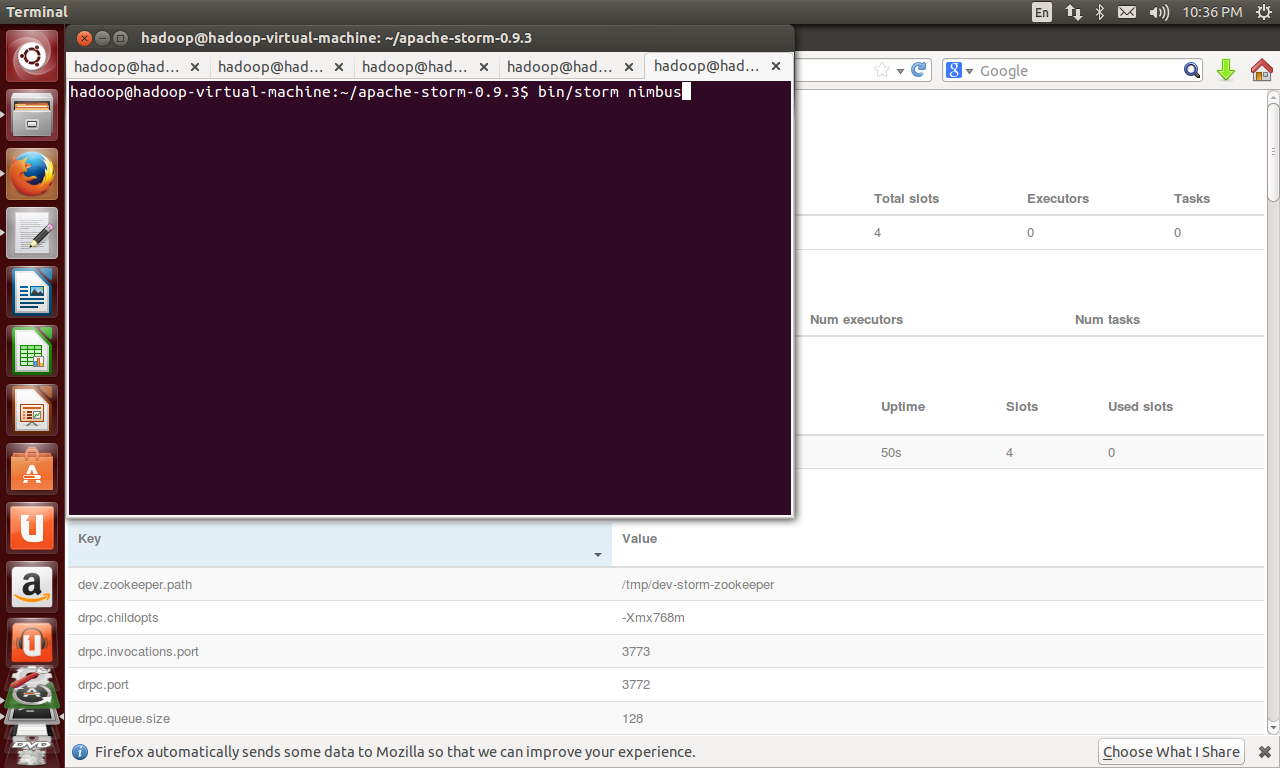
 bin/storm nimbus


 bin/storm supervisor

 bin/storm ui

JPS over all service


Step 7:Check UI 

localhost:8080


Additional Native dependencies:(Optional to install but need when you go for advance )

wget http://download.zeromq.org/zeromq-2.1.7.tar.gz

tar –xzf zeromq-2.1.7.tar.gz

cd  zeromq-2.1.7

./configure

Make

sudo make install

Download and installation commands for JZMQ:

Obtain JZMQ using

git clone https://github.com/nathanmarz/jzmq.git

cd jzmq

sudo apt-get install autoconf
sudo apt-get install automake
sudo apt-get install libtool


./autogen.sh

./configure

make

sudo make install


Wednesday, 18 March 2015

Apache Spark and Hadoop Integration with example

Step 1 : Install hadoop in your machine  ( 1x or 2x) and also you need to set java path and scala path in .bashrc ( for setting path refer this post Spark installation )

Step 2: Check all hadoop daemons are up running.


Step 3: Write some data in your hdfs (here my file name in hdfs is word)

Step 4: Download apache spark for hadoop 1x or 2x based on you hadoop installed version in step 1.


Step 5: Untar the spark hadoop file.

Step 6: Start the spark hadoop shell.


Step 7: Type the following command.once spark shell started


Step 8: See the Out put In terminal.


Step 9: Check the Namenode UI (localhost:50070)


Step 10: Check the spark UI (localhost:4040) for monitoring the job


Tuesday, 10 March 2015

Apache spark word count in scala and python

Wordcount in Scala

bin/spark-shell

scala>val textFile = sc.textFile("/home/username/word.txt")

scala>val counts = textFile.flatMap(line => line.split(" "))map(word => (word, 1))reduceByKey(_ + _)

scala>counts.collect()

Wordcount in Python

bin/pyspark

>>>text_file = sc.textFile("/home/username/word.txt")

>>>counts = text_file.flatMap(lambda line: line.split(" ")).map(lambda word: (word, 1)).reduceByKey(lambda a, b: a + b)

>>>counts.collect()

Input File for word.txt

I love bigdata
I like bigdata

Spark web UI


Friday, 6 March 2015

Apache Spark videos

Apache Spark Quick introduction  Lesson 1


Apache Spark wordcount in scala and python 


Apache Spark Installation

Step 1 Download Spark Click here

Step 2 Download Scala Click here


Step 3 Download Java

Click here

NOTE install git Go to -->terminal --> sudo apt-get insatll git 

Step 4 Untar Spark , Scala , Jdk


Step 5 Set the environment path in .bashrc


Step 6 Start building spark using sbt 


Step 7 Start spark shell


For Video Apache Spark installation  


Thursday, 13 November 2014

Top 30 Hive Interview Questions

1.What is Hive Shell ?

The shell is the primary way that we will interact with hive by using hiveql commands.In other words shell is nothing but a prompt which is used to enter the Hiveql commands for interacting the Hive shell

2.How we can enter into Hive shell from normal terminal ?

just by entering the hive command like ‘bin/hive’

3.How we can check the hive shell is working or not ?

After entered into hive shell just enter another Hiveql command like ‘show databases;’

Is it necessary to add semi colon (;) at end of the Hiveql commands ?

Yes,We have to add semicolon (;) at end of the Hiveql every  command.

Wednesday, 12 November 2014

Top 60 Hadoop Interview Question

1. What is Hadoop framework?
Ans: Hadoop is an open source framework which is written in java by apache software foundation.This framework is used to write software application which requires to process vast amount of data (It could handle multi tera bytes of data). It works in-parallel on large clusters which could have 1000 of computers (Nodes) on the clusters. It also process data very reliably and fault-tolerant manner.

2. On What concept the Hadoop framework works?
Ans: It works on MapReduce, and it is devised by the Google.

3. What is MapReduce?

Ans: Map reduces is an algorithm or concept to process Huge amount of data in a faster way. As per its name you can divide it Map and Reduce.
• The main MapReduce job usually splits the input data-set into independent chunks. (Big data sets in the multiple small datasets)
• Reduce Task: And the above output will be the input for the reduce tasks, produces the final result.
Your business logic would be written in the Mapped Task and Reduced Task. Typically both the input and the output of the job are stored in a file-system (Not database). The framework takes care of scheduling tasks, monitoring them and re-executes the failed tasks.

Sunday, 9 November 2014

Hive Hbase integration

Hive Hbase integration

Hive

The Apache Hive ™ data warehouse software facilitates querying and managing large datasets residing in distributed storage. Hive provides a mechanism to project structure onto this data and query the data using a SQL-like language called HiveQL. At the same time this language also allows traditional map/reduce programmers to plug in their custom mappers and reducers when it is inconvenient or inefficient to express this logic in HiveQL.

Hbase


Use Apache HBase when you need random, realtime read/write access to your Big Data. Apache HBase is an open-source, distributed, versioned, non-relational database modeled after Google's Bigtable: A Distributed Storage System for Structured Data by Chang et al. Just as Bigtable leverages the distributed data storage provided by the Google File System, Apache HBase provides Bigtable-like capabilities on top of Hadoop and HDFS.

NoSQL vs. SQL

NoSQL vs. SQL Summary


SQL DATABASES
NOSQL DATABASES
Types
One type (SQL database) with minor variations
Many different types including key-value stores, document databases, wide-column stores, and graph databases
Development History
Developed in 1970s to deal with first wave of data storage applications
Developed in 2000s to deal with limitations of SQL databases, particularly concerning scale, replication and unstructured data storage
Examples         
MySQL, Postgres, Oracle Database
MongoDB, Cassandra, HBase, Neo4j
Schemas
Structure and data types are fixed in advance. To store information about a new data item, the entire database must be altered, during which time the database must be taken offline.
Typically dynamic. Records can add new information on the fly, and unlike SQL table rows, dissimilar data can be stored together as necessary. For some databases (e.g., wide-column stores), it is somewhat more challenging to add new fields dynamically.
Scaling
Vertically, meaning a single server must be made increasingly powerful in order to deal with increased demand. It is possible to spread SQL databases over many servers, but significant additional engineering is generally required.
Horizontally, meaning that to add capacity, a database administrator can simply add more commodity servers or cloud instances. The database automatically spreads data across servers as necessary
Development Model
Mix of open-source (e.g., Postgres, MySQL) and closed source (e.g., Oracle Database)
Open-source
Supports Transactions
Yes, updates can be configured to complete entirely or not at all
In certain circumstances and at certain levels (e.g., document level vs. database level)
Data Manipulation
Specific language using Select, Insert, and Update statements, e.g. SELECT fields FROM table WHERE
Through object-oriented APIs
Consistency
Can be configured for strong consistency
Depends on product. Some provide strong consistency (e.g., MongoDB) whereas others offer eventual consistency (e.g., Cassandra)


Saturday, 8 November 2014

NoSQL Introduction

Introduction

A large section of these data is handled by Relational database management systems (RDBMS). The idea of relational model came with E.F.Codd’s 1970 paper "A relational model of data for large shared data banks" which made data modeling and application programming much easier.

Traditional relation database follow the ACID Rules

A database transaction, must be atomic, consistent, isolated and durable. Below we have discussed these four points.
  • Atomic : A transaction is a logical unit of work which must be either completed with all of its data modifications, or none of them is performed.
  • Consistent : At the end of the transaction, all data must be left in a consistent state.
  • Isolated : Modifications of data performed by a transaction must be independent of another transaction. Unless this happens, the outcome of a transaction may be erroneous.
  • Durable : When the transaction is completed, effects of the modifications performed by the transaction must be permanent in the system.

Wednesday, 2 July 2014

Hadoop Certification Qusetions

Hadoop Certification Qusetions

1.When is the earliest point at which the reduce method of a given Reducer can be called?
A. As soon as at least one mapper has finished processing its input split.
B. As soon as a mapper has emitted at least one record.
C. Not until all mappers have finished processing all records.
D. It depends on the InputFormat used for the job.

Answer: C


HDFS client side mount table in hadoop2

HDFS client side mount table in hadoop2

HDFS federation it's possible to have multiple NameNode in a HDFS cluster. While this is good from a NameNode scalability and isolation perspective, it's difficult to manage multiple name spaces from a client application perspective. HDFS client mount table makes multiple names spaces transparent to the client. ViewFs more details on how to use the HDFS client mount table.

Earlier blog entry detailed how to setup HDFS federation. Let's assume the two NameNodes have been setup successfully on namenode1 and namenode2. 


Thursday, 26 June 2014

Top 10 most popular false belief about Hadoop

Top 10 most popular  false belief about Hadoop

Hadoop and Big Data are practically synonymous these days. There is so much info on Hadoop and Big Data out there, but as the Big Data hype machine gears up, there's a lot of confusion about where Hadoop actually fits into the overall Big Data landscape. Let’s have a look at some of the popular myths about Hadoop.

false belief #1: Hadoop is a database

Hadoop is often talked about like it's a database, but it isn't. Hadoop is primarily a distributed file system and doesn’t contain database features like query optimization, indexing and random access to data. However, Hadoop can be used to build a database system.

false belief #2: Hadoop is a complete, single product

It's not. This is the biggest myth of all! Hadoop consists of multiple open source products like HDFS (Hadoop Distributed File System), MapReduce, PIG, Hive, HBase, Ambari, Mahout, Flume and HCatalog. Basically, Hadoop is an ecosystem -- a family of open source products and technologies overseen by the Apache Software Foundation (ASF).

Wednesday, 25 June 2014

13 V's in Big Data

13+ V's in Big Data                   

  • Volume
  • Velocity
  • Variety
  • Veracity
  • Value
  • Visualization
  • Volatile 
  • Variability
  • Viability
  • Venue
  • Vocabulary
  • Vagueness
  • Validity